
How to Post & Schedule Photos to Multiple Social Media Accounts for Free
You made something amazing in Cut Paste Photos Pro. Now share it everywhere at once. With PostDovo, you can post and schedule photos to multiple social media accounts from one screen: Instagram, Facebook, TikTok, X, Threads, LinkedIn and more.
Post Photos Free Now See How It Works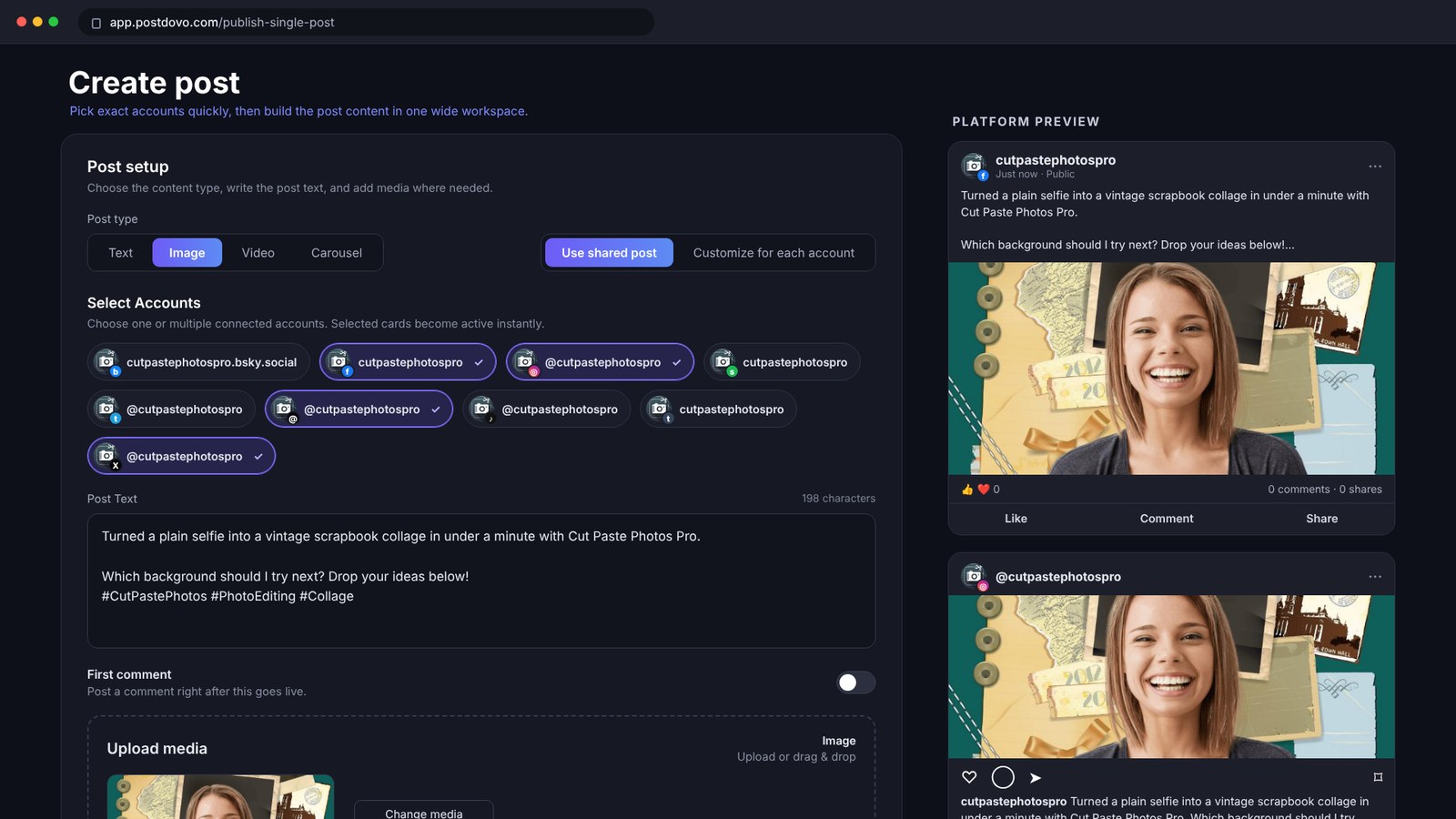
Cutting yourself out of a photo and dropping yourself onto a new background takes seconds in Cut Paste Photos Pro. Sharing it is the slow part. You open Instagram and upload it. Then Facebook. Then TikTok. Then X. Same photo, same caption, again and again.
There is an easier way. PostDovo lets you post photos to multiple social media accounts at once, or schedule them for the perfect time, completely free. More than 2,000 active users already use PostDovo to share their content, and that number grows every day.
Why Post Photos to Multiple Social Media Accounts at Once?
Your collages, memes and photo edits deserve to be seen by as many people as possible. Posting to every platform one by one wastes time you could spend creating. When you post and schedule photos from one place, you:
- Save time: write your caption once and upload your photo once.
- Stay consistent: your followers on every platform see your new work on the same day.
- Post at the best time: schedule photos for when your audience is online, even if you are busy or asleep.
- Grow faster: regular posting on several platforms helps more people discover you.
How to Post Photos to Multiple Social Media Accounts with PostDovo
PostDovo’s Free Social Media Scheduler turns your Cut Paste Photos Pro creation into a post for all your accounts in a few taps. Watch the whole process in 36 seconds:
Step 1: Create and save your photo
Make your edit in Cut Paste Photos Pro. Cut out an object, remove the background, add effects or build a collage. Then save it to your camera roll.
Don’t have the app yet? It’s on the App Store for iPhone and iPad.

Step 2: Open the Free Social Media Scheduler and connect your accounts
Open the PostDovo Free Social Media Scheduler and connect your social accounts. The free Starter plan lets you connect up to 5 accounts.
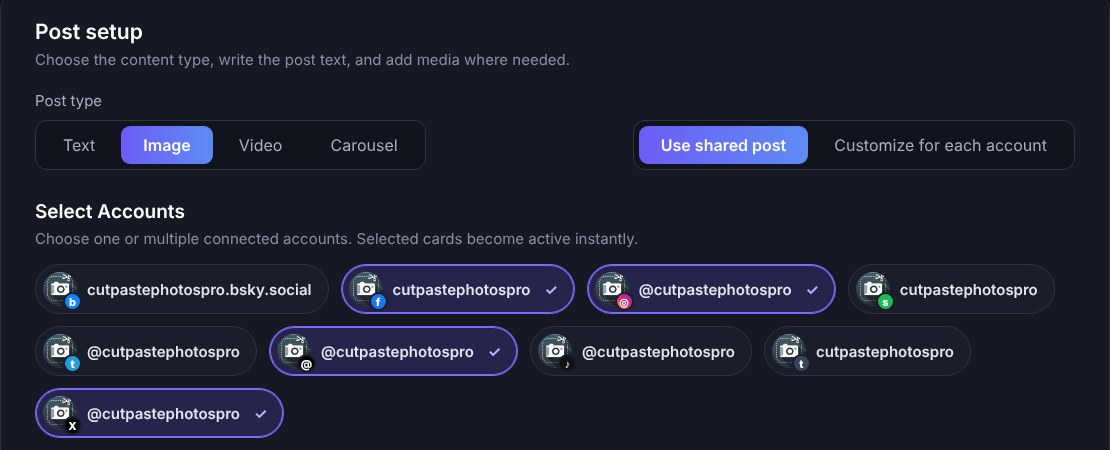
Step 3: Choose your post format and upload your photo
Pick Image for a single photo, or Carousel to share several edits in one post. Upload your photo and write your caption once.
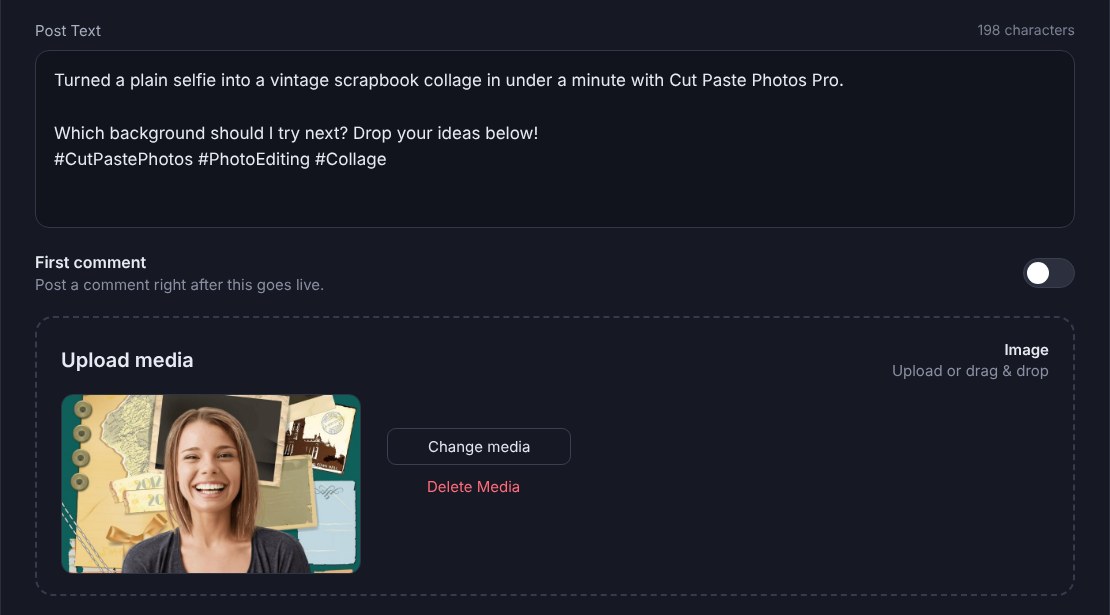
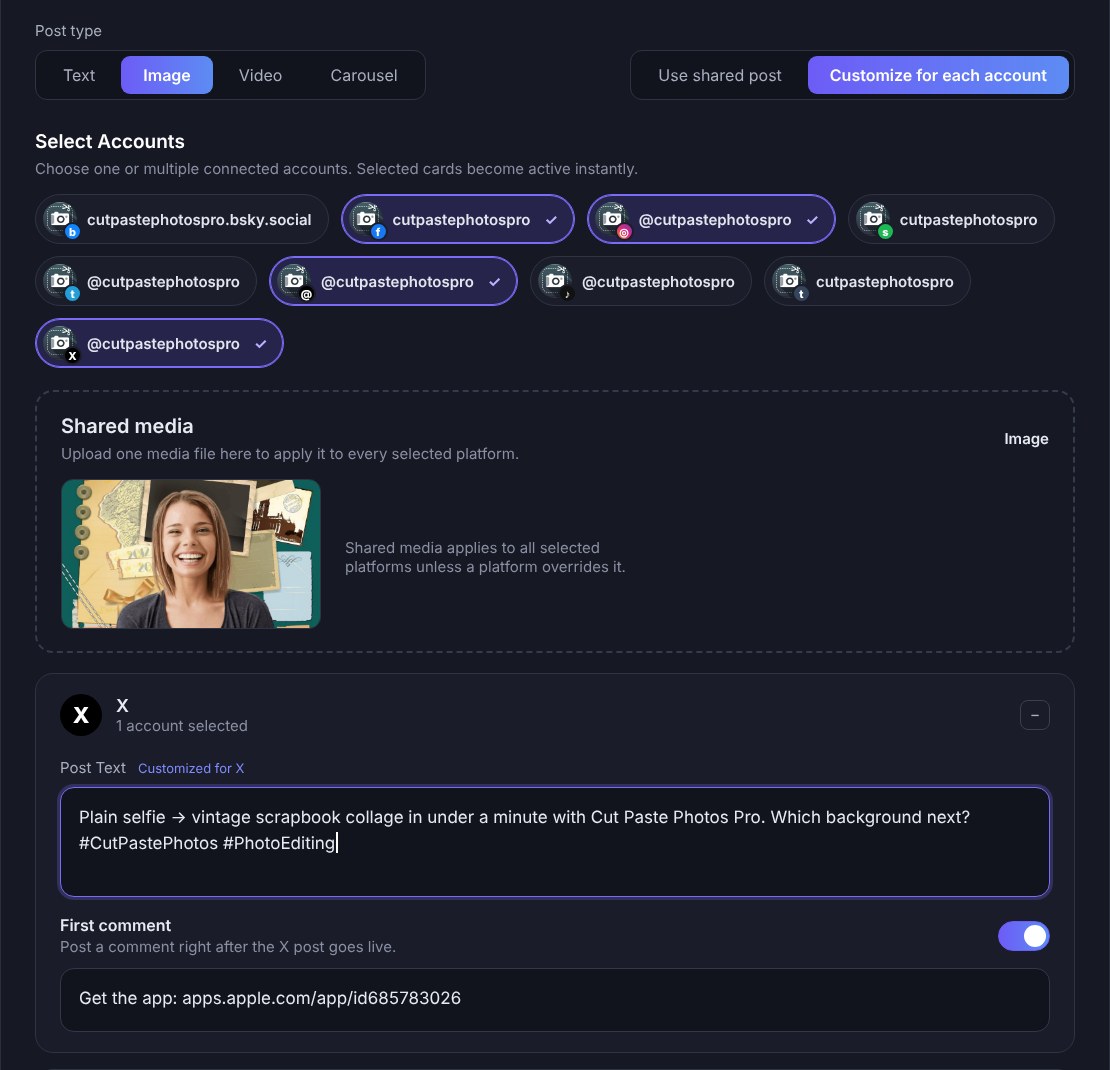
Step 4: Customize only where you need to
Keep the same caption and photo for every account, or change just one. For example, add more hashtags for Instagram and keep it short for X. You can also prepare a first comment ahead of time.
Step 5: Preview, then publish or schedule
Preview how your post will look on each platform. Then tap Publish to share it right now, or pick a date and time to Schedule it for later.
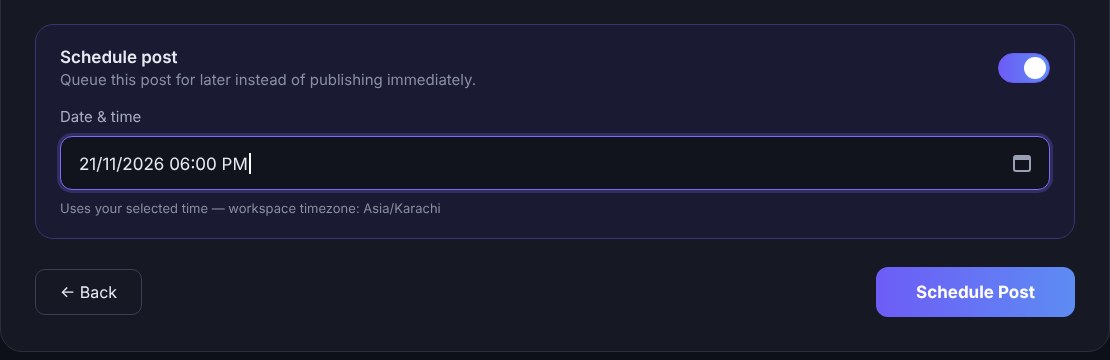
That’s it! Your photo goes live on every account you picked, and you never had to upload it twice.
Schedule Photos for the Whole Week
Made a batch of edits in one sitting? Schedule all of them at once. PostDovo gives you unlimited scheduling, so you can plan a full week or month of photo posts in one go. Every scheduled post shows up on your publishing calendar, where you can see what goes out and when.
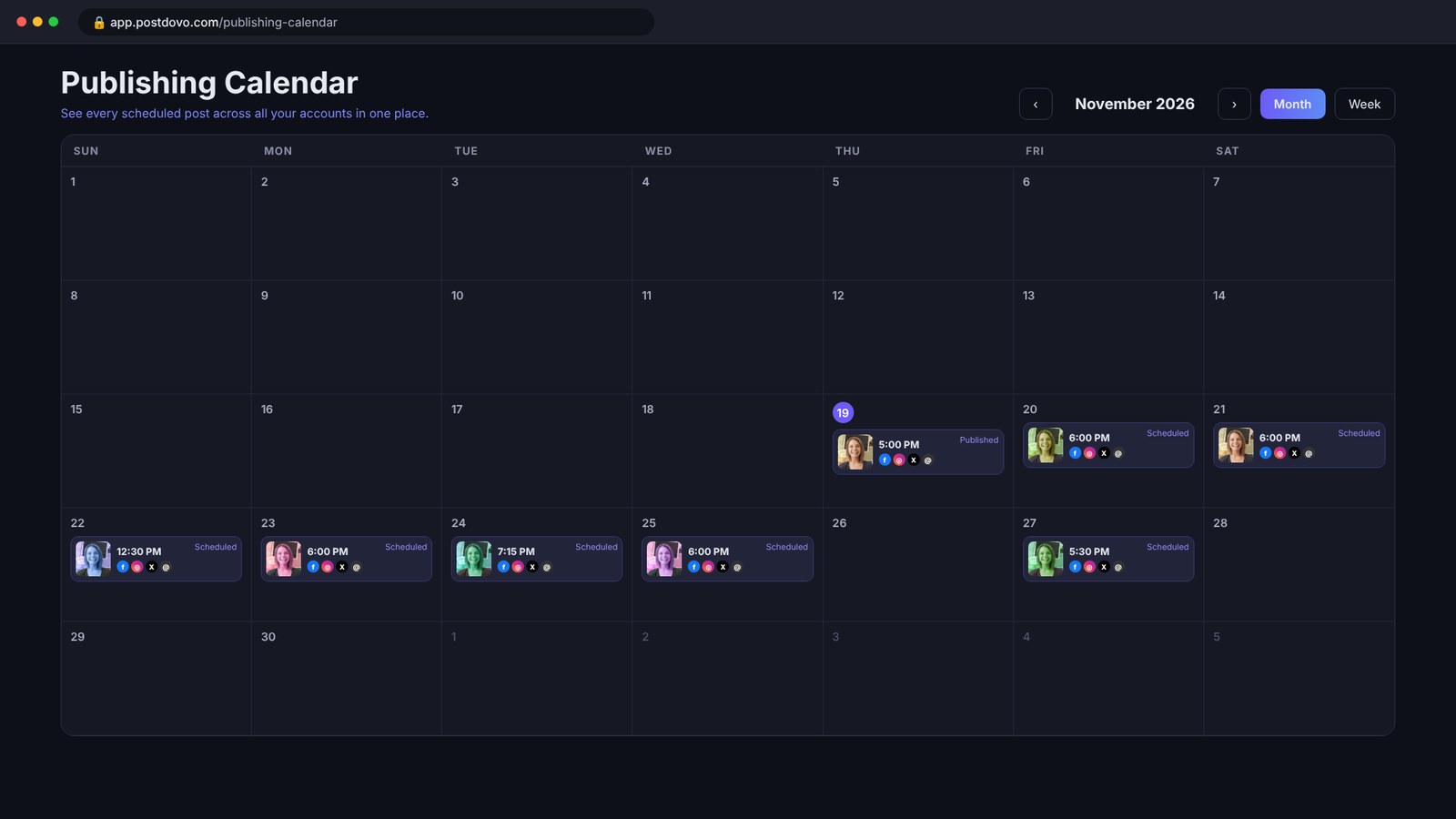
Tip: Create 5 to 7 photos in Cut Paste Photos Pro on the weekend, then schedule one per day. Your accounts stay active all week while you relax.
Have an Online Store? Let the Campaign Generator Do Everything
Selling products online? You don’t even need to edit your product photos first. PostDovo’s Social Media Campaign Generator builds a complete social media campaign from your store, ready to schedule.
Just enter your store’s website URL. PostDovo reads your product pages and creates posts for each platform, with captions written for your products and your audience.
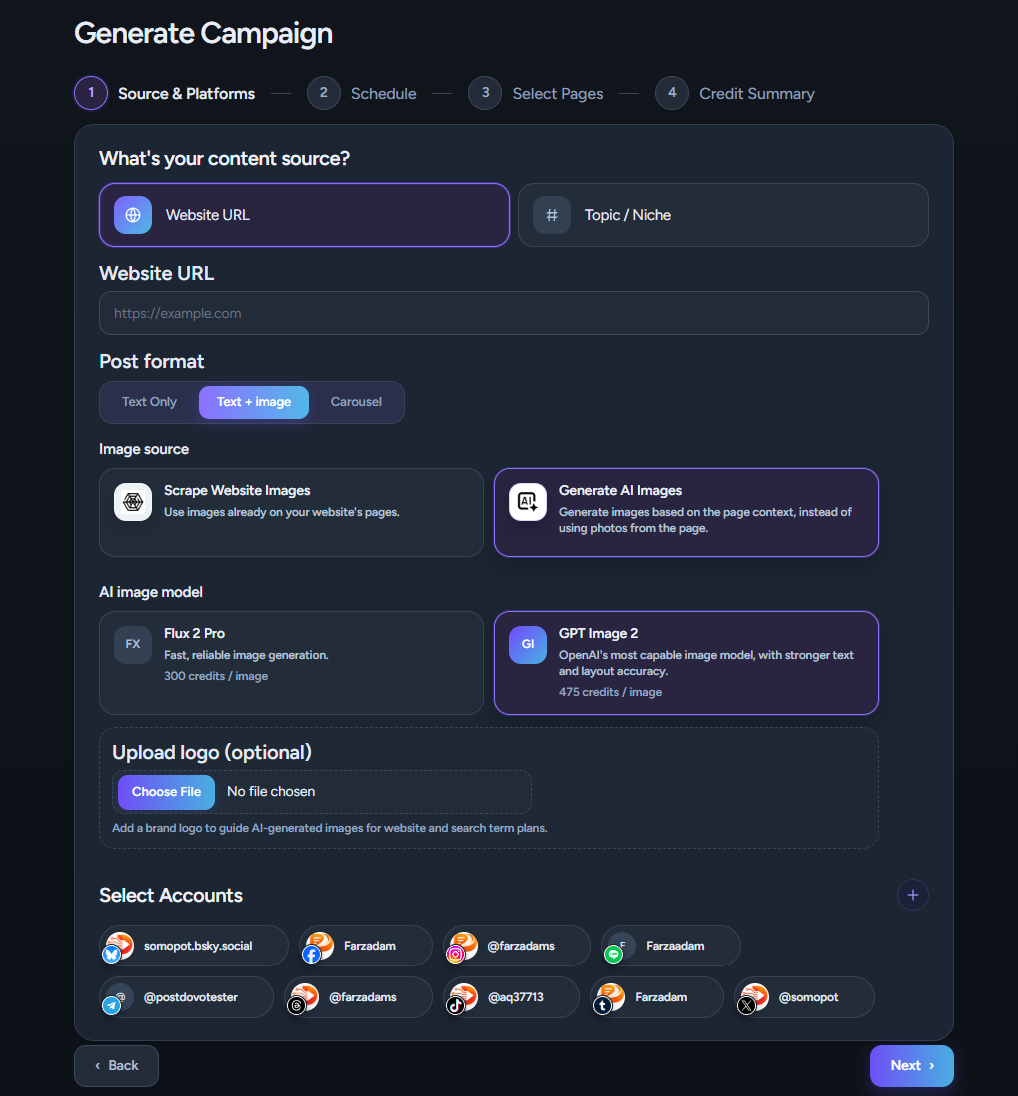
Scrape your product images or generate new ones with AI
No photo editing needed. The Campaign Generator gives you two ways to get product images:
- Scrape your own product images: PostDovo pulls the real photos straight from your store’s product pages, so customers see the exact product they will buy.
- Generate images with AI: PostDovo designs fresh visuals that match your product, your brand colors and your niche. You can even upload your logo to guide the design.
Creating a campaign is free. AI-generated images use credits, while your real product photos from your store cost nothing.
How the Campaign Generator works
- Enter your store URL, or type a Topic / Niche if you don’t have a website.
- Choose your post format: Text Only, Text + Image or Carousel.
- Pick your social accounts.
- Set how long the campaign runs, which days to post and how many posts per day.
- Select the products or pages you want to promote.
- Generate, review, edit and schedule your campaign.
In a few minutes, you have weeks of product posts ready to go, without designing a single image yourself.
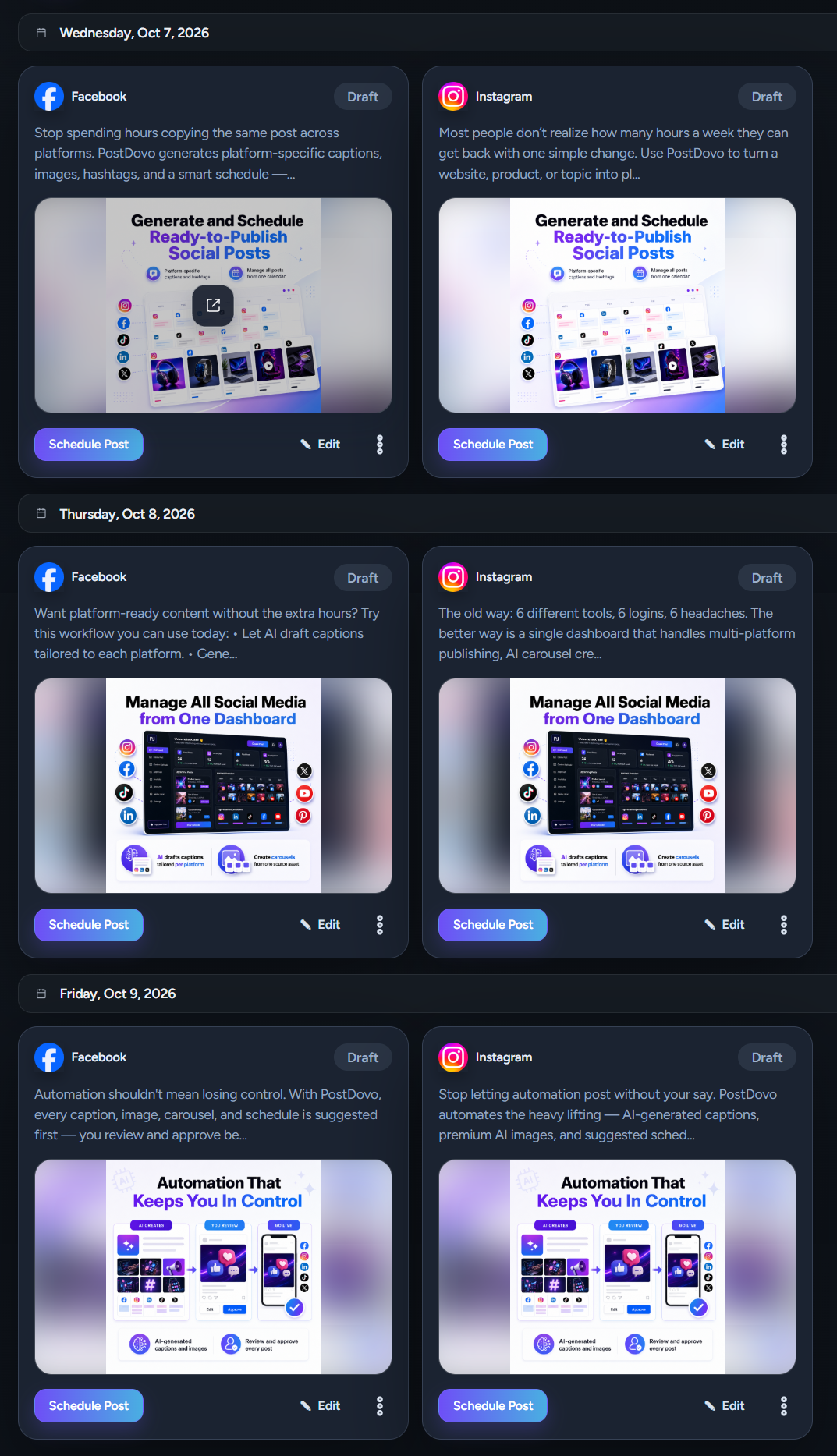
Watch a real product example
See it in action: a product URL goes in, and ready-to-post TikTok content comes out, with captions, visuals and hashtags, reviewed and scheduled in minutes.
Generate a Free CampaignBonus: Let Your AI Assistant Post Photos for You
Already using ChatGPT, Claude, Gemini or Grok? Connect PostDovo to your AI assistant and simply tell it what you want, like “Post my new collage to Instagram and Facebook tomorrow at 6 PM.” It writes, schedules and publishes for you. AI agents are included in the free Starter plan.
Choose your assistant to get started:
Which PostDovo Tool Is Right for You?
| If you want to… | Use |
|---|---|
| Post a photo, meme or collage to multiple social media accounts | Free Social Media Scheduler |
| Schedule photos for later | Free Social Media Scheduler |
| Promote your store’s products for weeks | Social Media Campaign Generator |
| Get product images and captions made for you | Social Media Campaign Generator |
| Post just by chatting | AI agents (ChatGPT, Claude, Gemini, Grok) |
Frequently Asked Questions
How can I post photos to multiple social media accounts at once?
Open PostDovo’s Free Social Media Scheduler, connect your accounts, upload your photo, write one caption and select every account you want. Then publish or schedule. Your photo goes to all of them at once.
Can I schedule photos to multiple social media platforms for free?
Yes. PostDovo’s free Starter plan includes unlimited posts and unlimited scheduling, with up to 5 connected social accounts.
Can I post photos I made in Cut Paste Photos Pro?
Absolutely! Save your edit to your device, then upload it as an image or carousel post in PostDovo.
Can I use a different caption for each platform?
Yes. Keep one shared post and customize only the accounts that need a different caption, photo or first comment.
Do I need to edit product photos to use the Campaign Generator?
No. The Campaign Generator can scrape the real product images from your store, or generate new AI images that match your product, brand and niche.
Do I need a website to use the Campaign Generator?
No. Choose Topic / Niche, type your subject, and PostDovo builds the campaign around it.
Can I post using ChatGPT or Claude?
Yes. Connect PostDovo to ChatGPT, Claude, Gemini or Grok, then ask it in plain words to post or schedule for you.
Create It Here. Share It Everywhere.
Cut Paste Photos Pro helps you make scroll-stopping photos. PostDovo helps you post and schedule them to multiple social media accounts in minutes. Join 2,000+ active users and start sharing for free.
Post Photos Free with PostDovo